

Ask around Kenya which is the best university, and you will quickly be told it is the University of Nairobi, and you will even be given convincing reasons to choose it. Well, without a doubt, the University of Nairobi has been, and always will be, the best University in Kenya. As of 2026, the University of Nairobi ranks ranks in the 1001-1200 band in the QS World University Rankings, dropping from previous years, but shines as top university in Kenya in the QS Sustainability Rankings (1081-1090 globally) and performs strongly in graduate employability making it a top university of choice if you are considering to enrol in the 2026/2027 academnic window.
With the September 2026 Application window already open, if you are considering joining the University of Nairobi (UoN), understanding the SMIS Registration is essential for your stay at the University, especially for academic success. And it’s not just being enrolled in the University systems; the UoN requires that its students have paid their fees in full to attend lectures and even sit for exams. However, many students still struggle to know the correct procedure for fee payment and even registration in the student management systems. Here is all that you need to know in 2026.
What is SMIS?
In many educational institutions globally, not just in Kenya, student management systems are digital platforms that ensure the smooth running of activities for enrolled students, the school, and the teachers involved. If you are looking to join Nairobi University, understanding how the SMIS works is essential for academic success.
The SMIS, also known as the Student Management Information System, which is also the UON Student Portal, provides several services, including the following:

- Academic Tracking
- Inter-Faculty Transfers
- Checking Results and Printing Provisional Transcripts
- Hostel Booking
- Clearance Status
- Access academic timetables, exam schedules, and event calendars.
- View your fee balance and payment history.
UON SMIS Registration Process for New Students
As mentioned earlier, if you want to get the most from the University of Nairobi, beyond your routine university lectures, it is recommended that you know how to access the SMIS portal. The Portal is open to both new students, who must register to access all services, and continuing students, who must log in and proceed.
For new students, after you have received your UoN admission letter, the next step is to proceed with creating your account on the UoN students’ portal. You will need the Application Reference Number from the offer letter to obtain your unique student registration reference number upon registration.

The process involved is as follows:
Below is the process of how to register on SMIS:
- Visit the official SMIS Portal at smis.uonbi.ac.ke
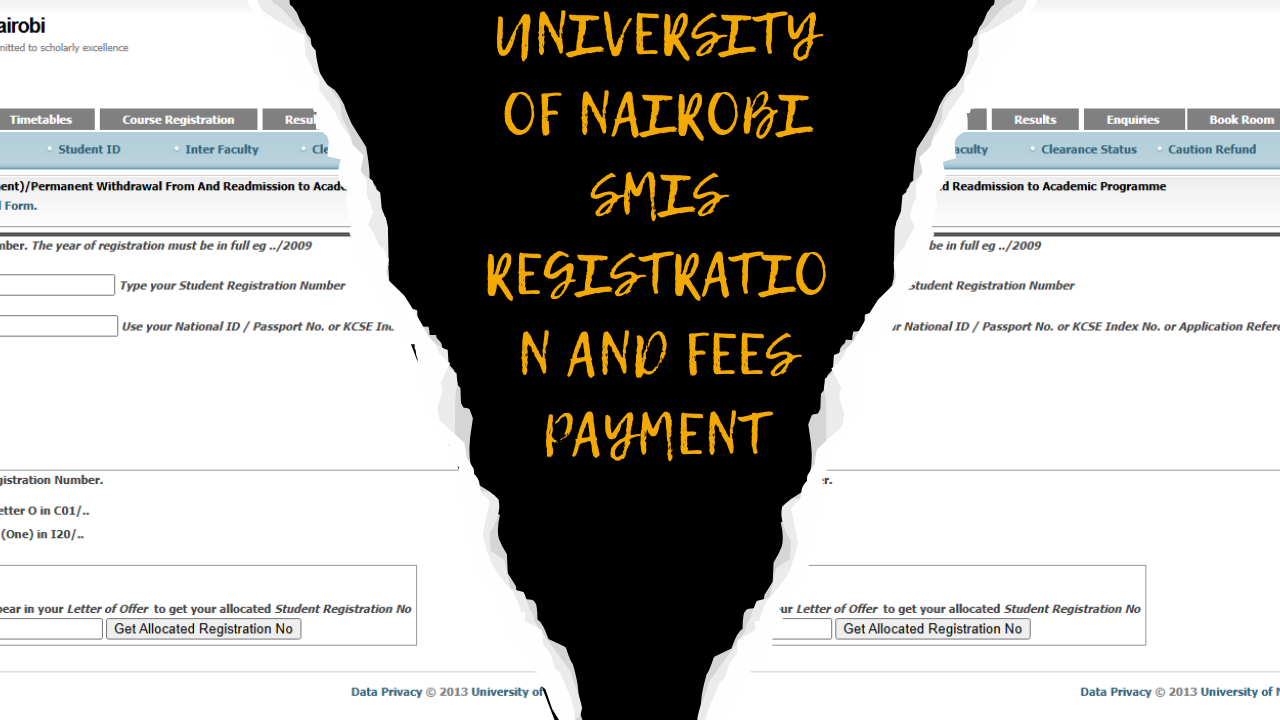
- Scroll down to the “SMIS Allocated Registration No.” section, as illustrated in the image below
- Now, Enter Your Application Reference Number as it appears on your Letter of Offer.
- Click “Get Allocated Registration No.” to generate your unique student registration number.

Once registered on the SMIS, you can use your generated Student Registration Number as your Username and your National ID / Passport No, or KCSE Index No, or Application Reference No as your initial password to log into the Portal

How To Pay UON Fees through SMIS
When we started the Guide, we mentioned that the SMIS has many services you can benefit from as a student. Among the many services offered, paying fees directly via the portal remains essential. The University of Nairobi fees are categorised as follows:
1. Academic (Tuition Fees)
It varies by program and can be found directly on your student portal at https://smis.uonbi.ac.ke/statement_summary.php. It covers the following items:
- Workshops and Projects Design, Projects for Engineering students, and any other instructional activities approved by the Senate
- Tuition Fees
- Laboratory
- Fieldwork
- Project/Thesis Supervision
- Clinical teaching
- Teaching Practice
- Practicum
- Industrial Visits/Supervision
2. Administrative Charges
Each enrolled student must pay the administrative charges in addition to the tuition charges. These charges cover administrative services essential for accessing academic activities. It is categorised by level of study as shown below:
Charges for Undergraduate Students:
| SN | ITEM | AMOUNT (KSH) |
|---|---|---|
| 1 | Application (once) | 3,000.00 |
| 2 | Registration (per sem.) | 2,250.00 |
| 3 | ICT Services (p.a) | 7,000.00 |
| 4 | Library (p.a) | 4,000.00 |
| 5 | Medical (p.a) | 6,500.00 |
| 6 | ID Card (p.a) | 1,000.00 |
| 7 | Activity (p.a) | 2,000.00 |
| 8 | Students’ Organization (p.a) | 1,000.00 |
| 9 | Examination (per unit) | 1,000.00 |
| 10 | Caution (once) | 5,000.00 |
Charges for Postgraduate Students
| SN | ITEM | AMOUNT (KSH) |
|---|---|---|
| 1 | Application (once) | Masters: 4,000 |
| Doctorate: 5,000 | ||
| 2 | Registration (per sem.) | 2,250 |
| 3 | Library (p.a) | 5,000 |
| 4 | ICT Services (p.a) | 7,000 |
| 5 | Medical (p.a) | 6,500 |
| 6 | ID Card (p.a) | 1,000 |
| 7 | Activity (p.a) | 2,000 |
| 8 | Student Organization (p.a) | 1,000 |
| 9 | Examination (per unit) | 1,000 |
| 10 | Thesis Examination | Masters: 30,000 |
| Doctorate: 50,000 | ||
| 11 | Caution (once) | 5,000 |
Charges for Higher Doctorate Degrees
| SN | ITEM | AMOUNT (KSH) |
|---|---|---|
| 1 | Registration | 5,000 |
| 2 | ICT Services | 15,000 |
| 3 | Identity Card | 1,000 |
| 4 | Library Resources | 10,000 |
| 5 | Examination Fees | 110,000 |
| 6 | Graduation Gown | 80,000 |
| 7 | Citation | 250,000 |
| 8 | Handling Charges | 25,000 |
| TOTAL | 496,000 |
To pay for your fees through SMIS, log in to the Portal and locate the fee payment section, or access the link https://smis.uonbi.ac.ke/statement_summary.php to view your fee statement and follow the rest of the Prompts to pay.
Alternative UON Fee Payment Methods
Aside from using the UON student portal to pay your fees, the university offers other alternative Fee payment options. They include:
Bank Deposit
If you are paying via Bank deposit, make sure to use the following details:
| Sn | College | Bank | Account Name | Account Number | Bank Branch | Contact for Queries |
|---|---|---|---|---|---|---|
| 1 | College of Health Sciences | Absa | UON/CHS | 03-045-1039385 | Hurlingham | Email: bursar-chs@uonbi.ac.ke Voip: 020-491-5004 |
| 2 | College of Agriculture and Veterinary Sciences | Absa | UON/CAVS | 03-077-5053984 | Absa Plaza | Email: bursar-cavs@uonbi.ac.ke Voip: 020-491-6005 |
| 3 | College of Architecture and Engineering | Absa | UON/CAE | 03-077-5053941 | Absa Plaza | Email: bursar-cae@uonbi.ac.ke Voip: 020-491-3507 |
| 4 | College of Humanities and Social Sciences | Absa | UON/CHSS | 03-073-1100217 | Westlands | Email: bursar-chss@uonbi.ac.ke Voip: 020-491-3204 |
| 5 | College of Education and External Studies | Absa | UON/CEES | 03-077-5053917 | Absa Plaza | Email: bursar-cees@uonbi.ac.ke Voip: 020-491-6506 |
| 6 | Kenya Science Campus | KCB | UON/KSC | 1107229030 | Moi Avenue | Email: kscfinance@uonbi.ac.ke Voip: 020-491-6707, 020-491-6722 |
| 7 | College of Biological and Physical Sciences | Absa | UON/CBPS | 03-073-1100187 | Westlands | Email: bursar-cbps@uonbi.ac.ke Voip: 020-491-4111 |
| No | Account No. | Account Title | Currency | Bank | Bank Branch |
|---|---|---|---|---|---|
| 1 | 2032770838 | UON Module 1 Collection Account | KSH | ABSA | – |
| 2 | 2032771362 | UON Module II Collection Account | KSH | ABSA | ABSA Plaza |
| 3 | 2032770625 | UON MODULE II – USD Account | USD | ABSA | ABSA Plaza |
| 4 | 1177475707 | UON- APPLICATIONS Account | KSH | KCB | Moi Avenue |
Note
- If you are a new student, use the reference number in your offer letter. If you are a continuing student, you must use your Student Registration Number.
- For international students paying in USD, use bank code 03, branch code 20, and SWIFT code BARCKENX when making your payments through the Bank.
M-Pesa Payment
Those who prefer mobile money can pay their fees via M-Pesa Pay Bill. Here is how:
- Go to the M-Pesa menu on your phone.
- Select “Lipa na M-Pesa” and then “Pay Bill.”
- Enter the business number: 300059.
- Enter your Student Registration Number as the account number.
- Enter the amount you need to pay.
- You’ll receive a confirmation message from M-Pesa.
Frequently Asked Questions (FAQ)
When are the University of Nairobi admission intakes?
The Institution typically has three intakes for various courses: September/October, December/January, and April/May.
What is the UoN Caution Money, and how much is it?
The Caution money is a one-time payment made during the first year of admission. It is currently set at KES 5,000 for the 2026/2027 academic year. If you are a continuing student in years 2, 3, 4, 5, and 6, do not pay this money.
How do you get a UoN Student Registration Number?
When admitted to the University of Nairobi, you must register using the Student Management Information System (SMIS Portal) to generate a registration number. You use the reference number in the letter of offer to do this.