
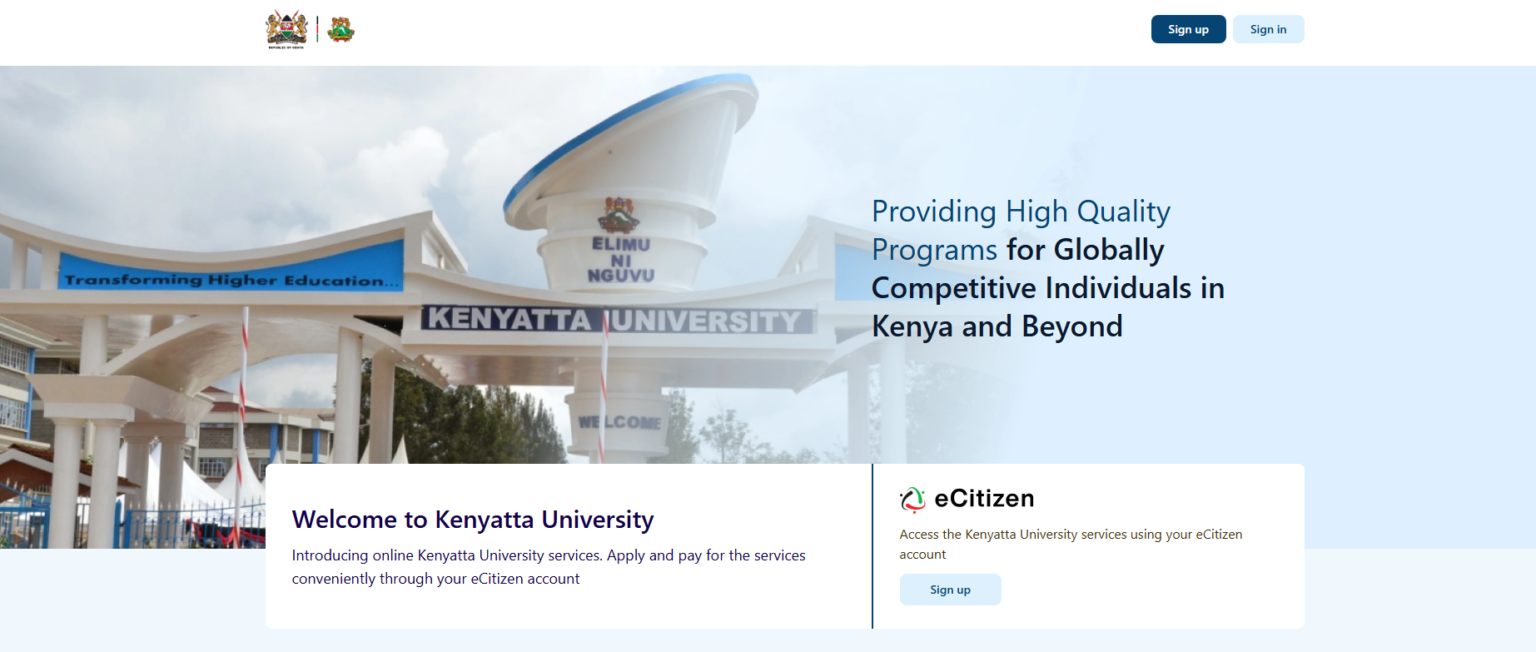

Kenyatta University is a centre of excellence for many students in Kenya, especially for those who have completed their secondary school examinations(KCSE). KU is not only known locally in Kenya but also attracts students from all over the world. Kenyatta University is a public research university with a main campus in Nairobi and several campuses across Kenya. It’s one of the best-ranked universities in Kenya, ranking Number in Kenya, beating the University of Nairobi for the second time in a row as per Times Higher Education (THE) World University Rankings 2026.
For most Kenyatta University students, understanding all the services that the university has to offer will help set them up for success. With the adoption of technology, the KU Students portal has always proven to be a game-changer for students, and it doesn’t matter whether you are a fresh graduate or a continuing student. The student portal is quite essential for course registration, exam checking, and other services it has to offer, as we will tackle later on in the article.
So, what does this Portal entail? How do you access it? Here is all that you need to understand.
How to Register On the KU Student Portal Account
Kenyatta University has provided an easy way for all KU students to access their student Portal account. The student portal is accessed through the official KU website and the university’s self‑service system.

The process is simple if you want to register for the KU student portal. You must ensure that you are admitted to the University either as a Government or self-sponsored student. Admissions are done by getting your admission letter and visiting the university on the reporting day, or following the specific joining instructions given in your admission letter.
Please find more details on how to join KU by reading this article. Once you report to the school on the day of admission, your student portal account will be set up for you, and you will be awarded the student’s registration number and password, which you will use to access your account. In some cases, especially for Digital School or distance programmes, your credentials and login instructions may be shared with you online before physical reporting, so always follow the guidance in your admission letter.

Logging in to the Portal
Once you have your student portal account set up, logging in is easy. Follow these simple steps:
- Visit the official KU website at https://www.ku.ac.ke/
- Look for the student’s section on the website. When you hover over it, make sure to select “Students Portal”.
- You will be redirected to Kenyatta University’s Self-Service portal. Here, you will show three services: “Student Portal Homepage “, “Faculty Portal Homepage“, and “Course Schedule“. Choose the Student Portal to proceed.
- On your student portal page, enter your username and Password to log in.

Reset Your Password
In the event that you have lost your password, the portal gives you the option to retrieve a new password that you can use to access your account. Here is how you can do that:
- Visit the Student Portal Login Page at https://portal.ku.ac.ke/ and select Student Portal Homepage
- Click on Forgot your Password just at the top of the yellow login page.
- Enter your username and your student email address, and then submit.
- Check your student’s email account and follow the Process to get a new password to log in to your account.

What are the KU student portal Services?
The KU Portal is the one academic friend you will need during your entire course duration at the university. It has some services and features that make your academic journey a success. Once you log in to the portal, on the left navigation panel, you can see a range of services that include:
- Campus Info
- Academics
- Registration
- View Attendance
- Unofficial Transcript
- Degree Audit
- MaxiCourse Calculator
- My Class Schedule
- View My Grades
- Transfer Credits
- My Profile
- Message Center
- My Classes
- My Career
- My Documents
- Student Services
- My Housing
- Student Statement
- Fees Statement
How to Register for Units on the Student Portal
Among the many features the KU student portal provides is the ability to register for units. If you are new to the stand and have familiarised yourself with the process, here is how to register units on the portal:
- Log in to your student’s Portal.
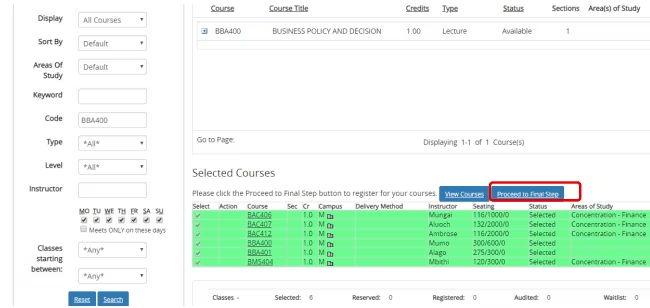
- On the homepage, click on Academics, Online Registration, then proceed to Begin Online Registration.
- Type the Course Code that needs to be registered, then click on Search.
- Once the course is added, click the plus sign, then proceed to the green plus sign. The unit will appear on the selected course, and it will be highlighted in GREEN.
- Continue with the same procedure until all the units are selected, then click Proceed to Final Step.
- Once you are very sure the units are correctly selected, click on REGISTER.
- Once registered, this screen shows the list of courses that the student has registered for.



KU Kusoma portal
Aside from the student portal, Kenyatta University also has an online learning management system dubbed Kusoma Portal. This portal allows all KU students to access learning materials online without physically visiting the University premises.
You must be registered and admitted to the university to access the portal. To access this portal, follow the process below:
- Visit the official KU website
- Go to the student’s section and click on E-learning Platform.
- Once redirected to https://kusoma.ku.ac.ke/, click on login to access your account.
- Just enter your KU-issued login details (usually the credentials linked to your student email/account) and log in.

KU ICT Contacts
The University’s ICT team can assist you if you need help with any student portal services.
- Visit the official support website at https://support.ku.ac.ke.
- Click on the ICT service that you want to address in the student portal or the Kusom Portal.
- Fill out the Online Support Ticket and submit your request.
- Once your issue is addressed, the ICT team will reach out to you via your portal or your student email address.
Questions And Answers
How to apply for a course at Kenyatta University?
Follow these steps:
- Visit Kenyatta University’s official website and click “Apply Online”.
- Create an account on the eCitizen platform and pay the application fee, which varies from program to program ( Certificate/Diploma/Bachelor’s: Ksh 2,000, Master’s/PhD: Ksh 3,000 ).
- Submit the required documents (e.g., KCSE results, ID) and track your application status via the portal.
How many campuses does Kenyatta University have?
Kenyatta University has 8 campuses, including:
- Main Campus (Thika Road, Nairobi)
- Mombasa Campus
- Kitui Campus
- City Campus (Nairobi)
- Parklands Campus
- Kericho Campus
- Nyeri Campus
- Digital School of Virtual & Open Learning (online)
Is the University portal open for the 2026 intake?
Yes! The portal is open for 2026 intake applications, with admissions typically processed for January and September.
Does Kenyatta University have a May intake?
No. KU primarily admits students in January and September each year