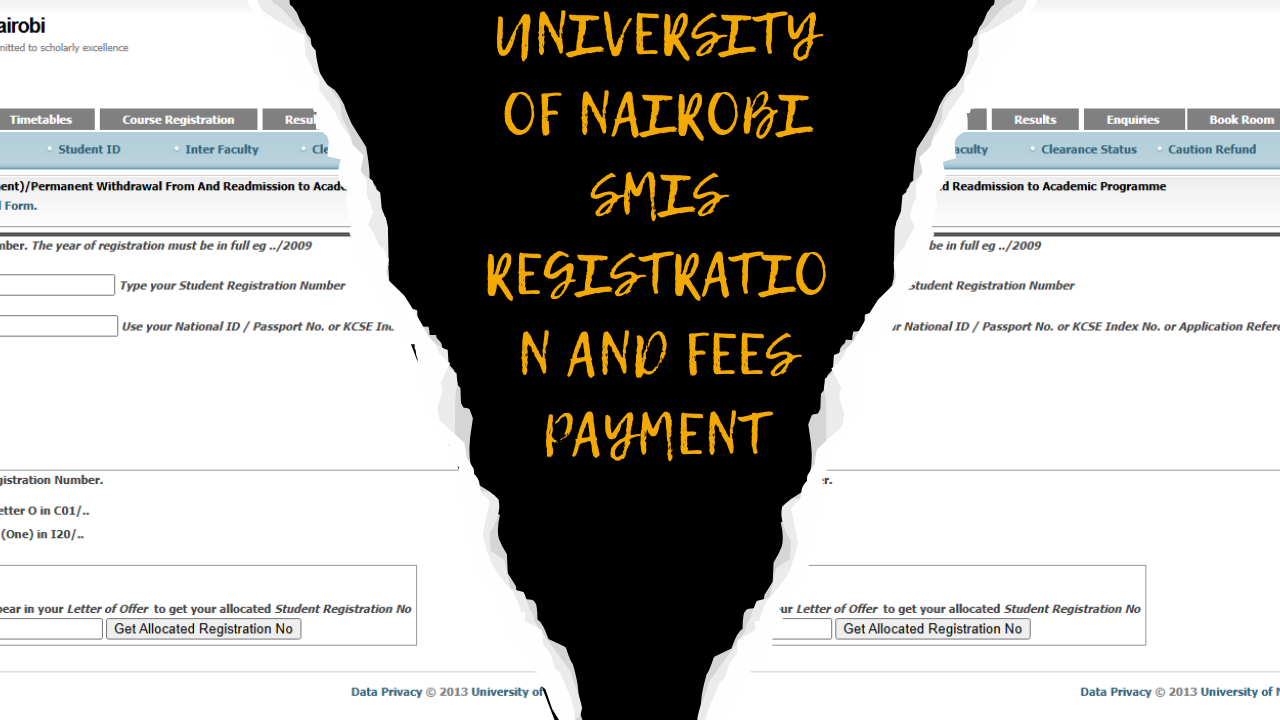


The University of Nairobi (UON) is Kenya’s top university and one of its oldest, established in 1970. It is well known both in Kenya and internationally, attracting students from across East Africa and beyond. UON stands out because it makes important services easy to access for all students. One of the most important tools is the UON Students Portal, which lets you check exam results, pay fees, register for courses, and more. We’ll cover these details later in the article.
If you plan to join the University of Nairobi in the 2026/2027 academic year, you will use the Students’ Portal every day for your academic and administrative needs. You can access the portal from your phone or any device, so you can get the services you need even when you are off campus. Here’s what you need to know about the UON Students Portal.
What is the UON Student Portal?
If you haven’t used the UON student portal before, it brings all the university’s academic features together in one place. You can use the portal if you have been admitted as a self-sponsored or KUCCPS student. Continuing students can access it as long as they have not been deregistered by the University Senate.
What services does the UON student portal offer? This portal is important for your academic success because it gives you access to the following:

- Your current Semester Fees
- Various Timetables (Exams and Teaching)
- Course Registration
- Checking your Exam Results
- Inquiries and getting in touch with the administration or your course department
- Booking a Hostel Room online
- Application of the course Transfer
- Tracking your academic achievements from the first to the final year
- Checking your clearance status
- Profile Management

UoN Student Portal Registration
As long as you are officially admitted to the University of Nairobi, it is a requirement that you are registered to the Students Portal so that you can benefit from all the services (see above) the institution has to offer. The university itself has made it easier for anyone who is admitted as a student to the university to register. Here is how you can do it by yourself without seeking assistance from any ICT Team.
- Visit the official Student Management Information System (SMIS) portal using the link https://smis.uonbi.ac.ke/smis.uonbi
- You will need your Application Reference Number, which can be found in your Letter of Offer, the official document confirming your admission to UoN.
- Once you’ve entered your Application Reference Number, the system will display your unique Student Registration Number in the SMIS Allocated Registration No. Take note that you will use this number to access the student portal and other university services where it is required.
- Now, log in to the Student Portal using the credentials that you have just created. For the password, use the default specified in your admission or portal instructions (for example, your KCSE Index Number or Application Reference Number for new students), but remember to change it once you are logged in.

UON Students Portal Login
For continuing students, logging into the UoN Student Portal is not as complicated as the registration process. All you need to do is:

- Visit the SMIS portal at https://smis.uonbi.ac.ke
- In the login form, carefully enter your Student Registration Number with the year specified in full, e.g., C01/2024
- Input the password you created during your initial registration or the one you updated. For many students this will initially have been set to an identifier such as the KCSE Index Number or National ID, as indicated in the student online registration form.
- Once you’ve entered your credentials, click the “Login” button to access your account and the many services that it offers.

If you are trying to log in to the portal but have forgotten your account password, there is no need to worry. The portal allows you to reset your initial password and get a new one. Visit the password reset page, enter your registration number and email, and follow the instructions to regain access to your account.

UON Student Portal Key Links
For immediate assistance with accessing various features in the student portal, you can use the links in the table below:
| Feature | Link |
|---|---|
| Portal Home | https://smis.uonbi.ac.ke/index.php smis.uonbi |
| Student Fees | https://smis.uonbi.ac.ke/statement_summary.php smis.uonbi |
| Timetables | https://smis.uonbi.ac.ke/teaching_timetable.php socialsciences.uonbi |
| Course Registration | https://smis.uonbi.ac.ke/course_registration.php socialsciences.uonbi |
| Results Slips | https://smis.uonbi.ac.ke/result_slips.php socialsciences.uonbi |
| Enquiries | https://smis.uonbi.ac.ke/student_enquiries.php socialsciences.uonbi |
| Hostel Booking | https://smis.uonbi.ac.ke/hamis/bookroom.php economics.uonbi+ |
| Provisional Result Slip | https://smis.uonbi.ac.ke/student_enquiry_resultslip.php socialsciences.uonbi |
| Enquiry on Exam Results | https://smis.uonbi.ac.ke/student_enquiries.php socialsciences.uonbi |
| Temporary Withdrawal Form | https://smis.uonbi.ac.ke/Permanent%20-Temporary%20Withdrawal%20Form.pdf smis.uonbi |
Frequently Asked Questions (FAQ)
Who can register for the University of Nairobi student portal?
Registration at the University of Nairobi applies only to UON students who have joined the university through KUCCPS or as self-sponsored students. Registration is done by visiting the SMIS system, which is accessible via https://smis.uonbi.ac.ke.uonbi
What is the current caution fee at the University of Nairobi?
For many government-sponsored undergraduate students, the current caution money in the official fee structure is KES 2,000, while several Module II and other self-sponsored programmes list a one-time refundable caution fee of KES 5,000.
How do I book a hostel room via the UON portal?
To book a hostel room, log in to the SMIS portal and use the Book Room/hostel booking option; room allocation is done through this secure online application system on a competitive basis, and admission to the University does not automatically guarantee accommodation. All queries on online room application can be directed to hamis@uonbi.ac.ke or telephone numbers 0204913433 or 0204913405
Where can I check my examination results?
You can check your examination results and download result slips by logging into the SMIS portal and navigating to the “Exam Results” or “Result Slips” section, or by using the dedicated result slips and provisional result slip links in the portal.