


Kenya is home to many universities that have produced highly successful and respected members of society, both locally and internationally. Kenyatta University is one of the best-performing public universities in Kenya, consistently ranking among the top universities in Kenya and ranked in the 1501+ band globally. It maintains its position as Kenya’s top university for the second consecutive year, ahead of the University of Nairobi.
The Kenyatta University offers a range of courses and admits students across all levels of education (certificates, bachelor’s, diplomas, etc.), with a current total enrollment of over 60,000 students. For this reason, one requirement for joining the university is an admission letter. So, do you know how to download Kenyatta University admission letters?
Kenyatta University is located in Nairobi and Kiambu counties in Kenya and has been operational for more than thirty years. Established in 1965 as Kenyatta College, it received its charter in 1985 to become a fully-fledged university.
What are KU Admission Letters?
For those who are yet to join Kenyatta University, there are various requirements that the university will require you to meet. One of them is presenting the admission letter on the day of reporting.

A Kenyatta University is a very important document as it confirms that you have met all the admission requirements and have formally secured a place in your chosen program at the university.
The admission letter contains essential details, such as your student identification number, the program you have been admitted to, and any specific instructions for new students.

The Kenyatta University admission letter is available for download by all students, whether they are placed at the university by the Kenya Universities and Colleges Central Placement Service (KUCCPS) or are self-sponsored.
The Official Image of the KU admissions letter,
How to Download Your Admission Letter
One can join Kenyatta University as either a government- or self-sponsored student. Depending on the methods you used to gain admission to the university, you must produce an admission letter. Here is how you can do that in less than a minute:
Accessing Your Admission Letter (KUCCPS Students)
KUCCPS students are also referred to as government-sponsored students in Most Kenyan universities. These students pay fewer fees, and the government covers the rest. Every year, the KUCCPS portal opens for students to make applications to various universities.
If you have been selected to join Kenyatta University, congratulations. However, you should know that the process does not end there. You must visit the KU admissions portal to get your admissions letter.
Here is how:
- Open your browser of choice and visit the official Kenyatta University website at https://www.ku.ac.ke/
- Click on the “Admissions” on the top navigation bar.
- You will be redirected to the official KU admissions portal, which can also be accessed directly Via https://admissions.ku.ac.ke/
- On the admissions Portal, click “Students” at the top of the website homepage, then navigate to “Admissions Letters.”
- Since you made your applications via the KUCCPS portal, click the KUCCPS link on the same homepage.
- Enter your KCSE Index number in the format X/2024, where X is the index number, and 2024 is your KCSE year, and proceed to log in.
- Once you log in to your account, download your admission letter.
Accessing Your Admission Letter (SSP Students)
If you’re a self-sponsored student at Kenyatta University, accessing your admission letter is slightly different. You must make your course application through the KU admissions portal and be accepted. Here is how
- Visit the KU admissions website at https://admissions.ku.ac.ke/
- Click on “Academic Programmes” to begin your course selection.
- Search for your program of choice to see whether it is offered for the current academic year. Make sure you meet the eligibility criteria for that Program if you plan to submit your applications.
- Go back to the admissions portal and select “Apply Now.” You will be redirected to the eCitizen portal, where you can make the applications for that course.
You can check this article on KU courses and the admission process to get more insights into the application process. If you are accepted to study that particular course, you will receive an email via your eCitizen account to confirm your acceptance.
As a self-sponsored student, you must carry your admission letter on the day of reporting. So, if you have received your letter of offer from KU, here is how you can get your admission letter as a self-sponsored student:
- Visit the KU admissions portal.
- Navigate to Students, then the Admissions Letter section.
- Here, click on the Self-sponsored program. Do that immediately, and you will be redirected to another page.
- On the new window, enter the National Identification(ID), Passport, or Birth Certificate Number used while applying, and click on login.
- Once in your account, you can follow the rest of the Prompts to get your admissions letter.
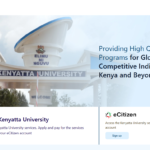
How to access the KU admissions letter Portal as a self-sponsored student
KU ICT Support Services
If, for one reason or another, you can not get access to the admissions portal or you cannot access your admissions letter despite being admitted to KU, do not panic. You can reach out to the KU ICT support team to get assistance.
Here is how:
- Visit the KU ICT Support website at https://support.ku.ac.ke/
- Click on admissions. A new window will open if you do so
- Proceed to fill in the request form and submit your ticket.
- You will receive further communication at either the email or phone number you gave