

We live in an age where connectivity is becoming essential to our daily routine. Whether we are working from the office, at home, or even staying connected with friends, it is very important to be connected online. But let’s face it: Not every Kenyan can afford the luxury of an internet connection in this modern age, especially as the country becomes more connected. But the Good news is that it is quite easy to have a connection as long as you know where to look. And it all starts by knowing where to look. It all begins by choosing a reliable internet service provider ( you can take a look at this article, where I go deeper into various service providers in the country). Still, for now, our focus will be on securing the proper hardware, specifically the Tender router, to get you started.
Unlike ongoing service subscriptions from internet providers, a Tenda router is a one-time hardware purchase that gives you complete control over your network. The real challenge isn’t just the initial price tag; it’s matching the right router to your specific space, the number of devices you use, and the speed you’re paying for from your ISP. Here is everything you need to know about Tender Routers in Kenya, including their prices.
How much is the Tenda router model in Kenya?
The price of a Tenda Router in Kenya varies from one retailer or seller to another. This is because the final price is mainly influenced by a combination of importation costs, retailer markup, and the specific technical capabilities of each model. Generally, Tenda routers range from as low as Ksh 1,500 for budget-friendly models to as high as Ksh 16,000 for high-end models with many features.
Budget-Friendly Options (Under KSh 3,000)
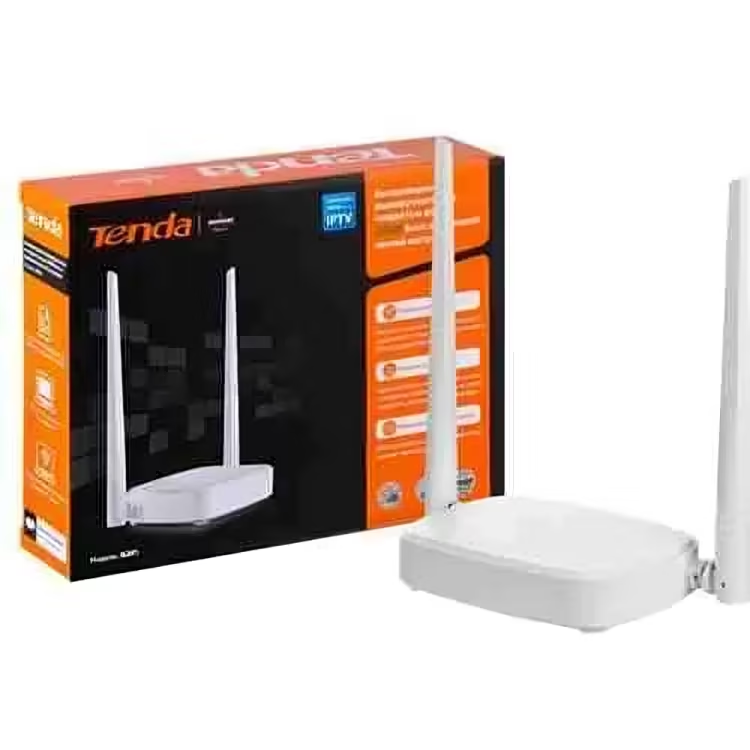
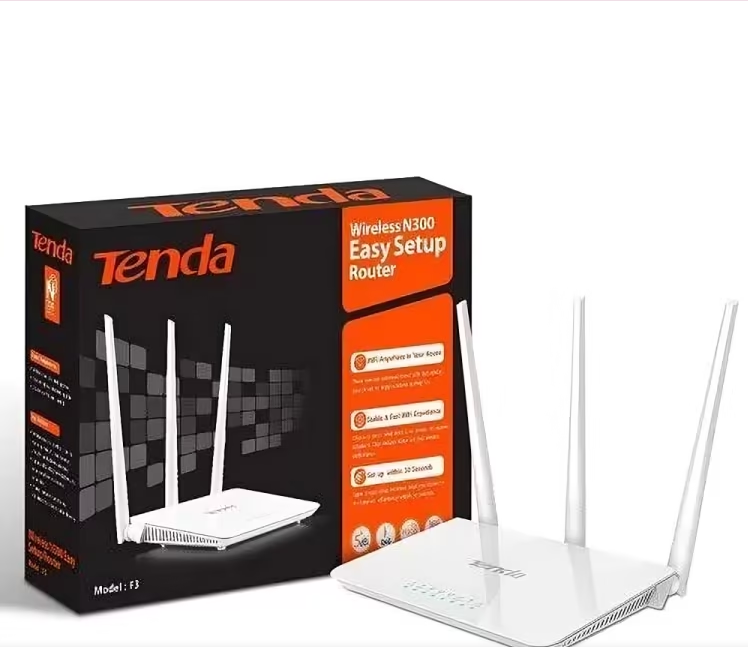
The budget-friendly options are affordable for everyday users, with the best options in this category being the Tenda F3 and N301 routers. These single-band routers are built for efficiency, providing a stable connection for a handful of devices engaged in light activities like web browsing, social media, and standard-definition YouTube videos. They are perfect for a studio apartment or a small office where the internet plan itself doesn’t exceed 20Mbps. The key differentiator between them often comes down to antenna design: the N301’s external antennas can sometimes provide a marginally more stable connection in smaller spaces than the F3’s internal antennas.

Mid-Range Performance (KSh 3,500 – KSh 6,000)
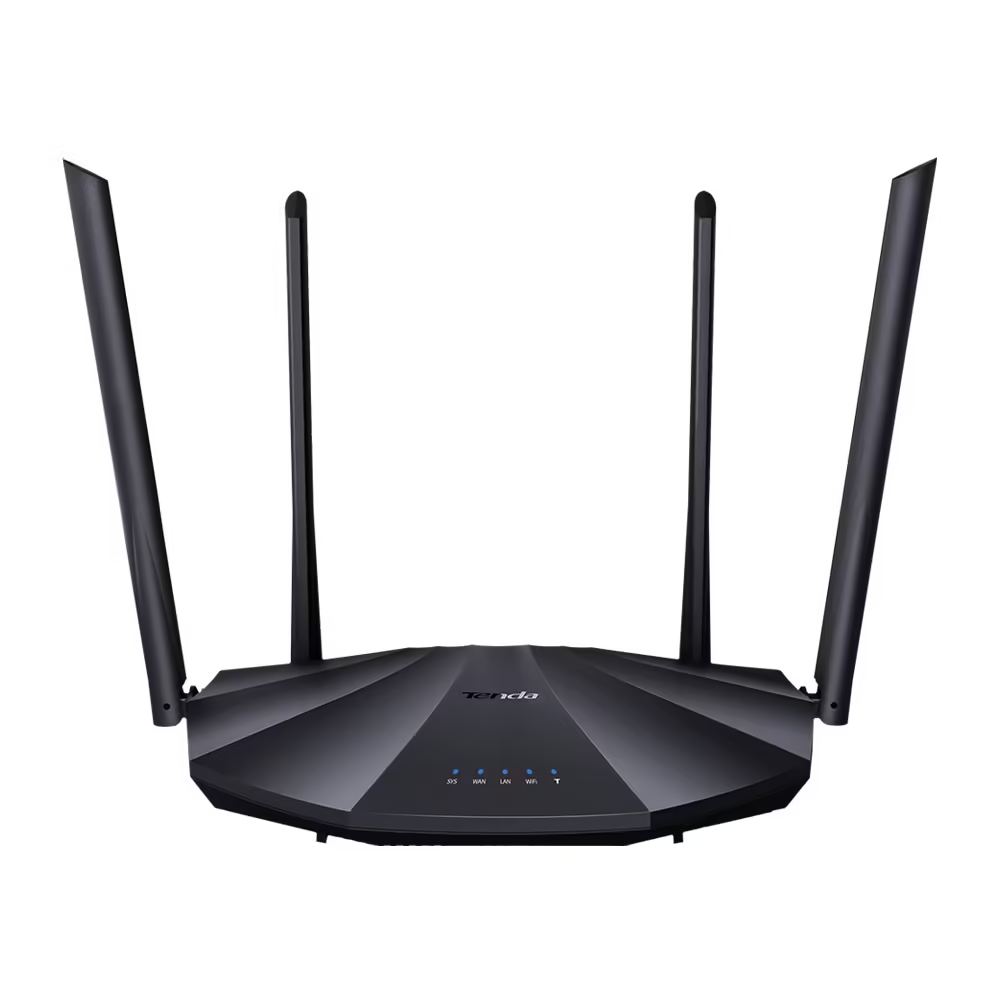
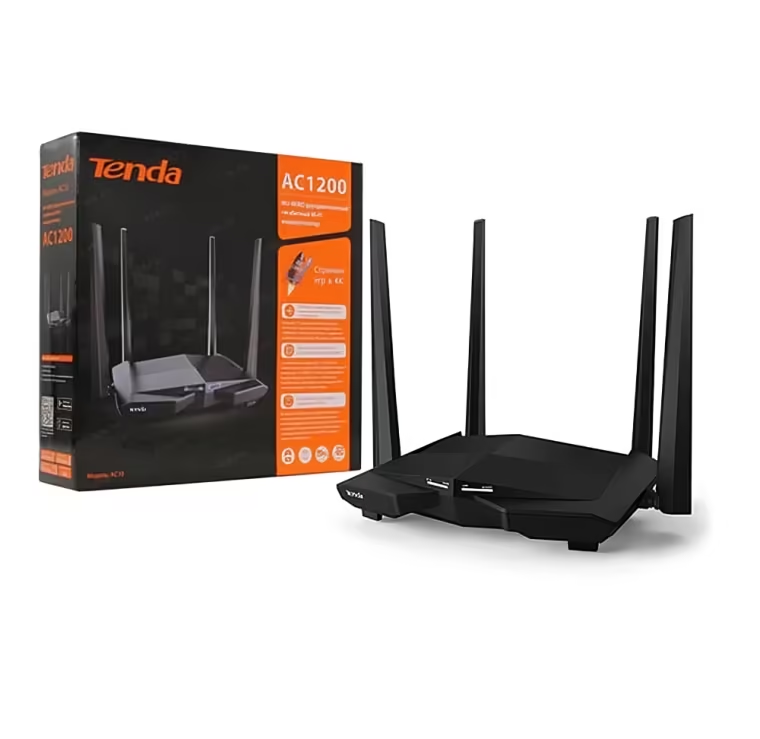
If you want to get the most value out of your Tenda router hardware, upgrading to the mid-range tier is the best option. These models are quite pricey compared to the budget-friendly ones. The Best Tenda Router models in this category include the AC6, AC10, and AC11, all of which support dual-band technology.
For those wondering what Dual-band technology is, it allows your computer to create two separate networks: the crowded 2.4GHz band for older devices and the clearer, faster 5GHz band for streaming and gaming.

If you are confused about the three models mentioned here, the AC10 and AC11 stand out, as they often feature technologies like Beamforming, which focus the Wi-Fi signal directly toward your devices instead of broadcasting it in all directions, resulting in a stronger, more efficient connection.
However, in general, all routers in this mid-range tier are ideal for families with multiple smartphones, laptops, and a smart TV, streaming HD or 4K content simultaneously.
Whole-Home Mesh Systems (KSh 7,000 and Above)
In the hierarchy of Tenda router models in Kenya, the whole-home mesh systems are often pricier than the two tiers we have already gone through.

The best models we have identified in this category include systems like the MW3 and MW6, which use multiple nodes placed around the home to create a single, seamless Wi-Fi blanket. These systems are perfect for individuals who constantly battle weak signals in their environments; a single router might not be the solution.
The MW3 and MW6, in Particular, will guide your device to the node with the strongest signal as you move around, eliminating the need to manually switch between networks and ensuring a stable video call as you move from the living room to the kitchen.
N/B: These are just a few models we have identified as the best in each category, but there are still plenty of Tenda routers out there that can serve you very well, depending on your needs.
Here is a quick summary of some of the best Tenda routers and their price ranges as of 2025 in Kenya:
| Tenda F3 | 1,500 – 2,000 | 300Mbps, 3 LAN ports, 2.4GHz | Small apartments, basic web browsing and email |
| Tenda N301 | 1,100 – 3,200 | 300Mbps, 3 external antennas, WPS | Home offices, standard-definition video streaming |
| Tenda F6 | 2,500 – 3,000 | 300Mbps, 4 external antennas, 2.4GHz | Small families, streaming, online gaming |
| Tenda AC6 | 3,500 – 4,800 | AC1200, Dual-Band, 4 antennas | Medium homes, HD streaming, online gaming |
| Tenda AC10 | 4,000 – 5,500 | AC1200, Dual-Band, Beamforming | Larger homes with many devices, 4K streaming |
| Tenda AC11 | 4,800 – 6,200 | AC1200, High-Power Amplification | Homes with thick walls, extended range |
| Tenda Nova MW3 | 10,000 – 15,000 | Mesh System (3 Nodes), Seamless Roaming | Small to medium homes needing whole-home coverage |
| Tenda Nova MW6 | 12,000 – 16,000 | Mesh System (3 Nodes), True Mesh | Large homes or offices, elimination of dead zones |
| Tenda AC5 | 3,500 – 4,000 | AC1200, Dual-Band, 4 antennas | Medium homes, fiber internet up to 100Mbps |
How to Set Up Your Tenda Router
In Many scenarios, when you have applied for an internet connection from any ISP in Kenya, they will personally assist you in setting up your router. But in the case that you want to get your new Tenda router online personally, the process is also relatively easy as long as you know the core process to follow:
Step 1: Physical Connection and Power-Up
Begin by placing your router in a central, elevated location, away from large metal objects and other electronics that can interfere with the Wi-Fi signal. Connect the power adapter to the router and plug it into a wall outlet.
Using the Ethernet cable provided in the box, connect your modem’s LAN or Ethernet port to the blue WAN port on your Tenda router. This process establishes the link between your internet service and your new network.
Wait for the router’s power and internet indicator lights to stabilize, which typically takes 1 to 2 minutes, indicating it’s ready for configuration.
Step 2: Accessing the Administration Panel
With the physical connections secure, open a web browser on a device connected to the router either wirelessly (the default network name is usually printed on a label on the router itself) or via another Ethernet cable connected to one of the yellow LAN ports.
In the address bar, type 192.168.0.1 or tendawifi.com and press Enter. This will bring you to the Tenda setup wizard. The system may prompt you to create a new admin password for the router’s settings; this is a crucial security step that prevents unauthorised changes to your network.
Step 3: Internet and Wireless Configuration
The setup wizard will automatically detect your connection type. For most ISPs, such as Safaricom Home Fibre, Zuku, or Jamii Telecom, this will be a Dynamic IP (DHCP), meaning no further credentials are needed. However, if your provider uses PPPoE(as some DSL connections do), you will need to enter the username and password supplied by your ISP.
Next, you’ll configure your Wi-Fi settings. Create a unique and memorable network name (SSID) and set a strong password using WPA2-PSK encryption. This is the password you and your guests will use to connect devices. The wizard will apply the settings and reboot the router, a process that takes about a minute.
Step 4: Advanced Configurations
Once the basic setup is complete, you can explore additional features in the admin panel to enhance your network. For households with multiple users streaming or gaming, enabling Quality of Service (quality of service) in the Advanced settings allows you to prioritise bandwidth for specific activities or devices.
Setting up a guest network provides visitors with internet access while isolating them from your main home network and connected devices, such as printers or Network-Attached Storage (NAS). If you encounter issues, the simplest fix is often a power cycle: turn off and unplug both the modem and router, wait 30 seconds, plug in the modem first, then the router after a full minute.
For persistent problems, ensure your router’s firmware is up to date through the System Tools menu in the admin panel, as updates often resolve connectivity bugs and enhance security.
Where to Buy Tenda Routers?
There are many places to buy Tenda routers in Kenya, depending on where you are located. Some of the best authorised sellers in Nairobi are as follows:
- Nairobi electronic store.
- Nairobi Computer Shop
- Digital Store Kenya
- Kenya Laptops Shop
- Mombasa Computers
- Dukatech Stores Limited
FAQs
How much is Tenda f6 router in Kenya?
The Price of a Tenda F6 Router varies depending on the model that you specifically want to purchase, with the average price range in Kenya ranging from KSh 2,500 to 3,000. Some of the series in these range include the Tenda F6 Wireless and Wi-Fi Router 300mbps cositng Ksh 2,399.
What is the best Wi-Fi router for home use?
Apart from the Tenda routers, there are other alternatives you can try. Some of the best options in the Kenyan Market include the Tenda N301 (Wi-Fi 4) at KSh 1,100 for those on a budget. For those who need more power, there is the TP-Link Archer AX53 (Wi-Fi 6), selling at KSh 10,500, and featuring gigabit ports for multiple devices. Lastly, for those looking at the high-end option, there is the TP-Link Archer BE9700 tri-band router, priced at KSh 34,500, offering speeds up to 9.7 Gbps.
Which Tenda router is the best?
The best options are as follows:
- Tenda AC23 WiFi 6 Router. …
- Tenda AC21 Gigabit Router. …
- Tenda Nova MW6 Mesh WiFi System. …
- Tenda MW6 Mesh WiFi Router. …
- Tenda AX21 WiFi 6 Router. …
- Tenda AC17 Dual-Band Router. …
- Tenda Ultra Pro Router. …
- Tenda AC19 Business Router.
How much is Wi-Fi per month in Kenya?
The price of a Wi-Fi subscription in Kenya varies widely depending on your internet service provider, with basic plans priced from KSh 1,000-2,000 for 10Mbps to mid-range at KSh 2,500-4,500 for 20-40Mbps, and higher-end fiber plans going from KSh 3,000+ up to KSh 10,000+ for 60Mbps and above.
How many devices can a Tenda router handle?
Most tenda routers use the MU-MIMO multi-user, multiple input, multiple output) technology to ensure stable connections for multiple devices that permits them to support up to 30 devices simultaneously.