
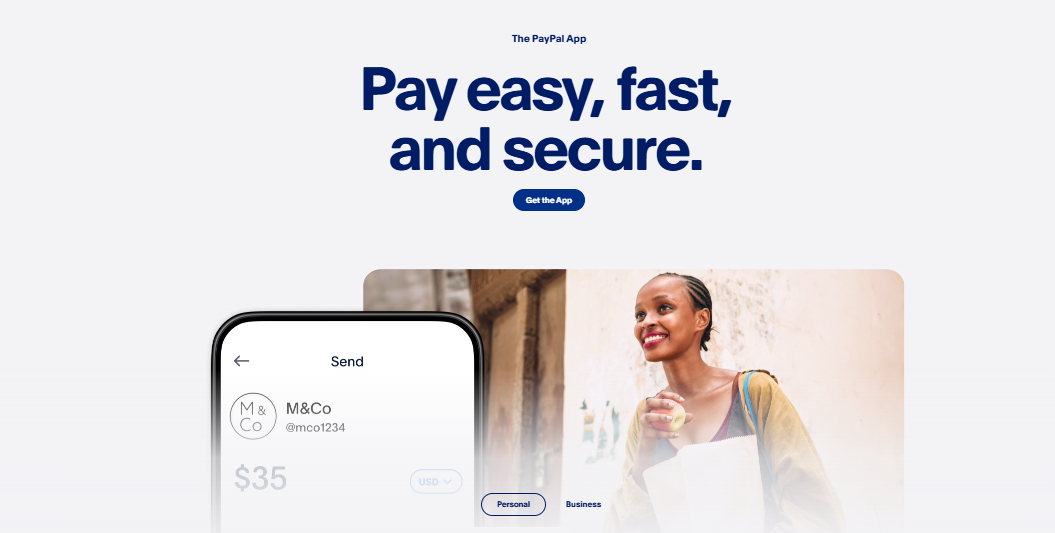

PayPal is a well-established online payment service in Kenya that has become essential for digital transactions across the country. It is primarily used by young professionals who work online and need reliable payment solutions for their daily business activities. However, its utility extends far beyond freelancers to include businesses of all sizes and individuals seeking secure international payment capabilities. Kenya’s rapid adoption of digital technologies, particularly the widespread success of mobile money services like M-Pesa, created the perfect foundation for PayPal’s successful entry into the market.
PayPal officially entered the Kenyan market in April 2018 through a strategic partnership with Safaricom M-Pesa, marking a significant milestone in Kenya’s digital payment evolution. However, despite PayPal’s presence in Kenya for over seven years, many Kenyans still don’t fully understand how to effectively use PayPal or go through the account creation process. If you find yourself in this category, you’ll be pleasantly surprised to discover that creating a PayPal account and getting started is significantly easier than most people expect.
Here is all you need to know about how you can easily open a PayPal account in Kenya.
Why Should You Open a PayPal Account in Kenya?
PayPal functions as an online payment service enabling registered users to transfer money electronically to other users worldwide with remarkable ease and security. Originally launched in 1998, the service took twenty years to reach Kenya, finally arriving in 2018, as mentioned earlier. You can access PayPal’s full functionality through its official mobile application, available on both Android and iOS devices, or through its comprehensive web interface portal. The platform’s capabilities extend well beyond simple money transfers, offering numerous advantages that make it indispensable for modern Kenyan users.
Some of the reasons why you should consider the PayPal platform in 2026 and beyond are as follows:
- Global Reach and Currency Support: As of 2026, the platform supports 25 international currencies and serves over 430 million users globally. This means you can confidently send or receive money internationally without worrying about complicated currency exchange processes or finding compatible payment systems in different countries.
- Comprehensive Service Range: The platform provides services to meet personal and business requirements. Business users can create professional invoices, access detailed transaction reporting, integrate shipping solutions, and even set up subscription billing for recurring services. Personal users benefit from simplified peer-to-peer transfers, online shopping protection, and mobile payment capabilities.
- Advanced Security Features: One standout feature is the platform’s robust buyer and seller protection policies that help you recover funds in cases of fraud or unauthorized transactions. Also, your sensitive financial data remains encrypted and secure during all transactions.
- Seamless Integration with M-Pesa: Linking PayPal with M-Pesa is easy, enabling you to send money from PayPal to M-Pesa and vice versa.
Requirements for Opening a PayPal Account in Kenya
While PayPal welcomes users worldwide, you can only join if you meet specific criteria, which are as follows:

- You must have a valid email address.
- You’ll need either a bank account or a Visa/MasterCard from any Bank (PRO TIP: Equity Bank is the best as it supports direct withdrawals from PayPal, though unnecessary).
- You must have a device capable of accessing the internet reliably.
- You must be 18 and have a valid National ID Card, as this might be required for verification purposes.
What Are the Different Types of PayPal Accounts?
If you are going to create a PayPal account, then you will understand that the process is relatively easy, but you will need to know what type of accounts the platform offers. In Kenya, PayPal offers two accounts: business and personal, each catering to different audience needs. They are as follows:
- Personal Accounts: These accounts are designed for individual users who primarily want to send and receive money using online debit or credit cards. They work perfectly for freelancers, online shoppers, and individuals who need to make occasional international transfers. Some features are peer-to-peer transfers, online purchase protection, and basic transaction history tracking.
- Business Accounts: As the name suggests, these accounts are made for businesses that sell products or services online. They offer significantly more features, including the ability to accept payments under your business name, grant access to up to 200 employees for account management, implement advanced payment tracking systems, and receive priority customer support from PayPal.

Note
The choice between personal and business accounts isn’t permanent; you can upgrade from a personal account to a business account later as your needs evolve. However, starting with the right account type will ensure you have immediate access to the features you need most.
How to Open a PayPal Account in Kenya
Now that you understand the various account types, registering for a new account becomes easier. Here is how:
- Visit the Official PayPal Website at https://www.paypal.com/ke/home using your preferred web browser.
- Choose between Personal and Business account options based on your intended use.
- Enter your valid email address and phone number accurately, then verify your account by checking your email for the code sent there to continue to the next phase.
- At the next stage, create a strong password you will use to sign in to your account whenever you need to — combine letters, numbers, and special characters.
- When prompted to provide your name, please do so and ensure it appears on your Kenyan National ID card, as this will be checked during the verification stage.
- Once everything is set up, you will need to activate your account to carry out various transactions. During this phase, you must connect your PayPal account with your bank or credit/debit card. Sign in to your new account, navigate to the “Wallet” section, and select “Link a Card or Bank.” Enter your card details, including card number, expiration date, and CVV code. You will be charged $1.95 (About Ksh 250 to Ksh 300, depending on the current exchange rates), but the best thing is that this amount will be refunded within 2–3 business days once verification is complete.
How to Link Your PayPal Account to M-Pesa
The integration between PayPal and M-Pesa, powered by Thunes technology, represents one of the most significant advantages for Kenyan users. This connection enables seamless fund transfers between the two platforms, effectively bridging international and local payment systems. However, you must be a registered PayPal user before linking these accounts.

The primary benefit of linking your M-Pesa number to PayPal is the ability to transfer funds directly between the two platforms without the need for complicated intermediaries. You can transfer money between your PayPal balance and M-Pesa, creating a comprehensive payment ecosystem. Crucially, ensure that the phone number registered on your PayPal account matches the M-Pesa number you intend to link.
Note
As of 16 August 2025, Safaricom has discontinued the traditional method of linking PayPal with M-Pesa using the PayPal M-Pesa Website. Instead, you can link your PayPal to M-Pesa via the M-Pesa App, which is available for download on both the Google Play Store and App Store.
The process involved is as follows:
- Open the M-Pesa app on your mobile device and log in.
- Scroll down to find the “Global Payments“ section.
- Select the “PayPal” option from the list.
- Follow the prompts to authorise the linking, including entering your M-Pesa PIN and completing a security challenge.
- You will receive confirmation that your M-Pesa account is successfully linked to your PayPal account.
- Once linked, you can view your PayPal balance and perform transactions like topping up your PayPal or withdrawing funds to M-Pesa directly within the app.
Common Issues When Setting Up PayPal in Kenya
Even with a smooth registration process, some users encounter challenges when setting up their PayPal account in Kenya. Here are the most common problems and how to resolve them quickly:
- Email Verification Not Received: If you do not receive the verification email, check your spam or junk folder first. If it is still missing, return to the PayPal registration page and request a new verification code. Ensure your email address was entered correctly during sign-up.
- Card Linking Failure: If your bank card is declined during the linking process, confirm that your card is internationally enabled. Some Kenyan banks require you to activate international transactions through their mobile banking app or by contacting customer support before your card will work on PayPal.
- Phone Number Already Registered: If PayPal shows your phone number as already linked to an existing account, you may have previously created an account with the same number. Use the account recovery option on the PayPal website or contact PayPal support directly to resolve the conflict.
- Identity Verification Requests: PayPal may ask for additional identity documents such as a scanned copy of your National ID or a passport photo. Ensure all submitted documents are clear, unobstructed, and match exactly the name you provided during registration.
Resolving these issues typically takes only a few minutes, and PayPal’s support centre is available at any time if you need further assistance.
PayPal Kenya Fees in 2026
Just like when we use M-Pesa for various transactions, we incur multiple fees as customers. In the same way, while using PayPal for your various transactions, there are numerous fees that you are entitled to, and the fees may apply depending on your transaction type and volume, as follows:
| # | Transaction Type | Description | Fee |
|---|---|---|---|
| 1 | Receiving International Payments | Fee for receiving payments from clients abroad | 4.90% of the transaction amount + fixed fee |
| 2 | Sending Money to Friends/Family | Free if funded by PayPal balance or bank account (no conversion) | Free, unless funded by card (3.4% + fixed fee) |
| 3 | Currency Conversion Fee | Applied when converting currencies | 2.5% – 4% above the base exchange rate |
| 4 | Withdrawals via M-Pesa | Fee for withdrawing PayPal funds to M-Pesa | 1% of transaction, min Ksh 100, max Ksh 1,500 |
| 5 | Withdrawals under Ksh 20,000 | Flat fee for smaller bank withdrawals | Ksh 105 flat fee |
| 6 | Withdrawals over Ksh 20,000 | Larger bank withdrawals | Free |
| 7 | Instant Transfer Fee | For instant transfers to bank accounts | 1.75% of transfer amount (min $0.25, max $25) |
| 8 | PayPal Checkout Fee | For PayPal payment processing | 3.49% + fixed fee |
| 9 | QR Code Payments | Fees depend on transaction amount | 2.29% – 2.99% |
| 10 | Card Transfers | Personal use card transfers | 2.90% |
Frequently Asked Questions
How do I create a PayPal account in Kenya?
To create a Kenyan PayPal account, visit the official PayPal website at https://www.paypal.com/ke or download the PayPal mobile app. Follow the registration process by providing your email, phone number, and personal information, then verify your account through the codes sent to your email and phone.
Which banks in Kenya support PayPal?
While most Kenyan banks allow PayPal card linking, not all offer complete feature support. Equity Bank provides the best overall experience for Kenyan users, particularly for direct bank account withdrawals from PayPal.
How long do PayPal-to-M-Pesa withdrawals take?
Most PayPal withdrawals to M-Pesa are processed within a few minutes. However, some transactions may take up to 24 hours, depending on verification requirements and transaction amounts.
Can I use M-Pesa with my PayPal account in Kenya?
Yes, you can link your M-Pesa number to your PayPal account through the M-Pesa App under the “Global Payments” section. This integration allows you to transfer funds directly between your PayPal balance and M-Pesa wallet seamlessly.